Appearance
The forwarding sheet
What the person sees. The sheet a message is forwarded through: the conversations the app holds, each with its avatars, under a search field.
What you do. You open a message's menu, pick forward(), and the sheet lists the conversations; a row's send() forwards the message into that conversation, closes the sheet back to the conversation it came from and answers that conversation's handle.
What the sheet shows but the Simulator does not offer:
- the search field over the list has no action — no recording shows a search typed there, so the list shows the conversations the app holds, not a query's answer;
- picking several conversations: the app marks a picked row with a check and sends to all the picked ones with its Send button, but no recording shows a send to more than one, so a row's
send()forwards to its one conversation; - the "Write a message…" field: the app can add a message to the forward, but no recording shows one typed there, so the forward carries none.
Every example starts from saved, the checkpoint the index describes; the launch hands the feed, and a tab edge lands on the tab's root.
ts
const forwardedFromSheet = await AndroidIgpapi.launch({
  checkpoint: saved,
  screen: FeedTimelineScreen,
  main: feed =>
    Effect.gen(function* () {
      const tab = yield* feed.openDirectTab();
      const item = tab.threads[0];
      if (item === undefined) return undefined;
      const thread = yield* item.open();
      const message = thread.messages[0];
      if (message === undefined) return undefined;
      const sheet = yield* message.forward();
      const target = sheet.threads[0];
      if (target === undefined) return undefined;
      // The send closes the sheet and answers the conversation in front.
      return yield* target.send();
    }),
});
console.log(forwardedFromSheet);
The sheet sends no request of its own: the conversations it lists are the app's own local inbox store, so opening it sends nothing. The send is the forward itself — the conversation send_attribution=direct_thread, the source conversation and item, and the row's conversation as the target — and the row's action closes the sheet and answers the conversation's handle, so your program continues with the conversation in front.
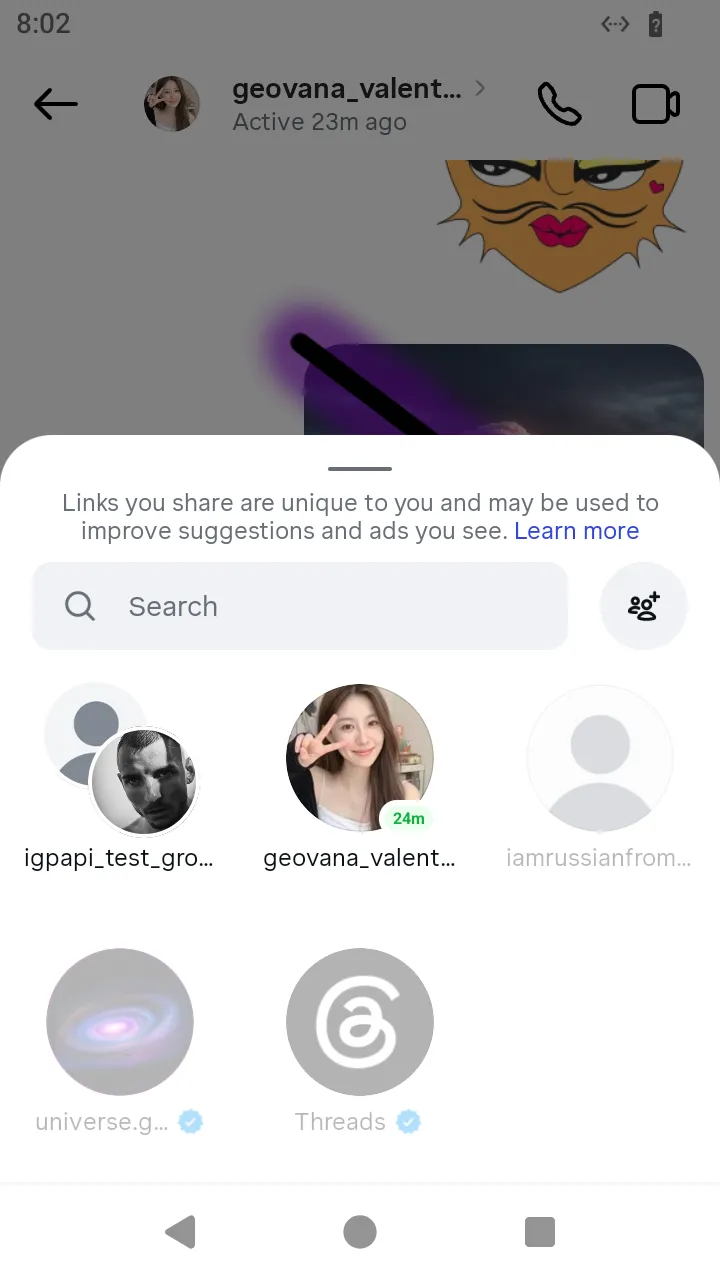
forward(): the conversations the app holds, the source conversation among them.
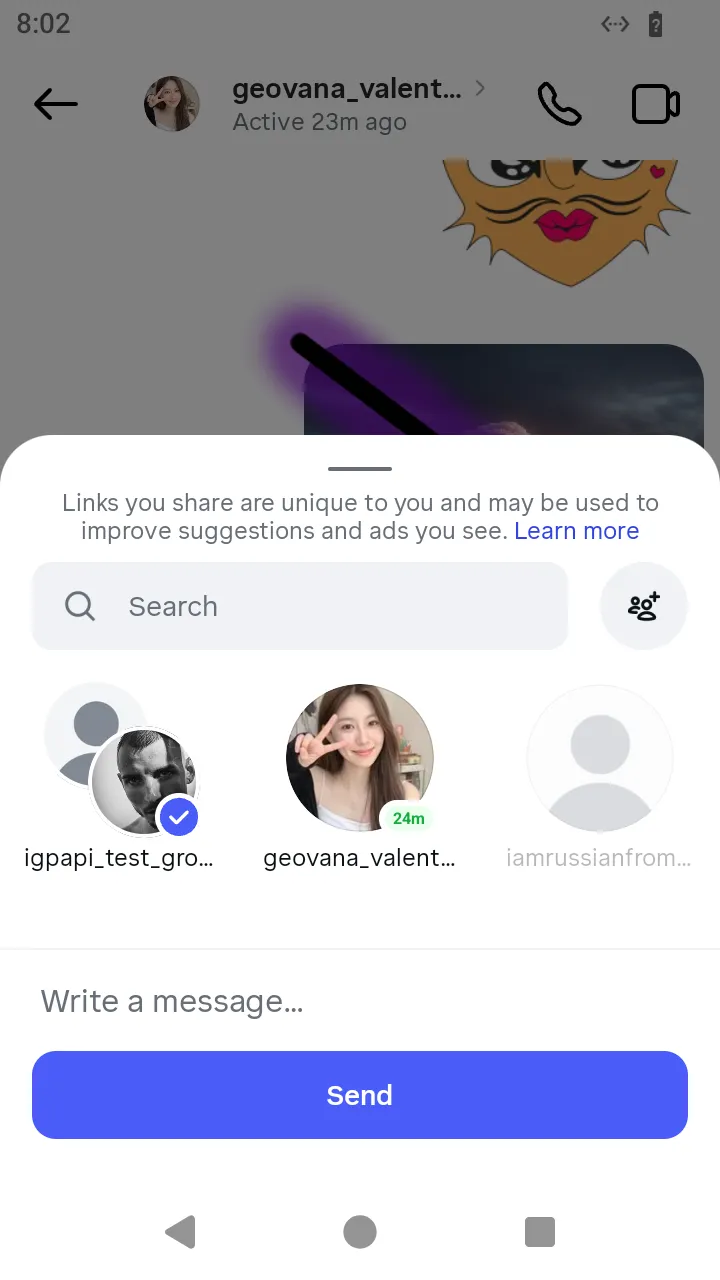 The group picked: the message previewed before the send.
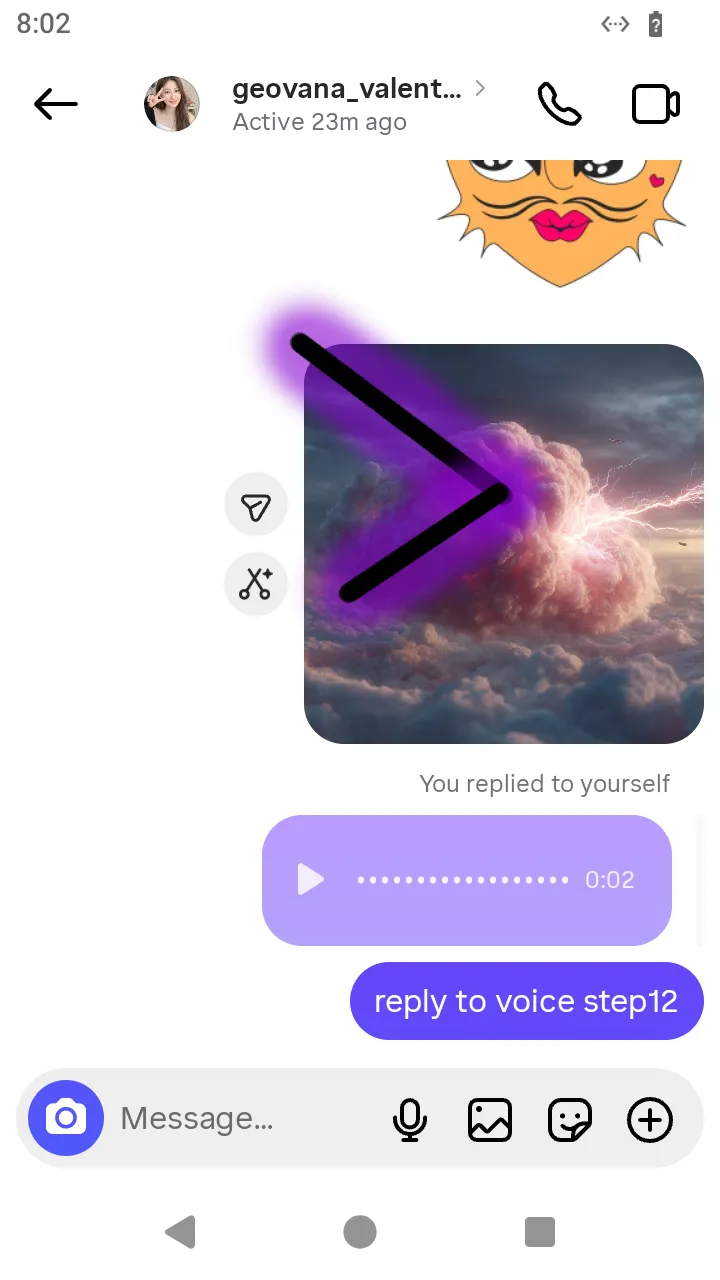 After
After send(): the sheet closes back to the conversation the message was forwarded from.