Appearance
Account recovery
What the person sees. Getting back into an account without its password, on two paths.
- Forgot password. The login screen's "Forgot password" opens the recovery search (
AccountRecoverySearchScreen). The typed email or username opens the confirmation screen (AccountRecoveryAuthenticationConfirmationScreen), and the code that arrives by email logs the session in. - Last-resort recovery. A password login that Instagram escalates opens the code screen (
AccountRecoveryEmailCodeScreen).
A recovery login can end on the location-permission prompt (AccountRecoverySuccessLocationPermissionScreen) over the feed; a plain password login shows no such prompt.
What you do. You find the account, type the emailed code, and close the prompt if it appears.
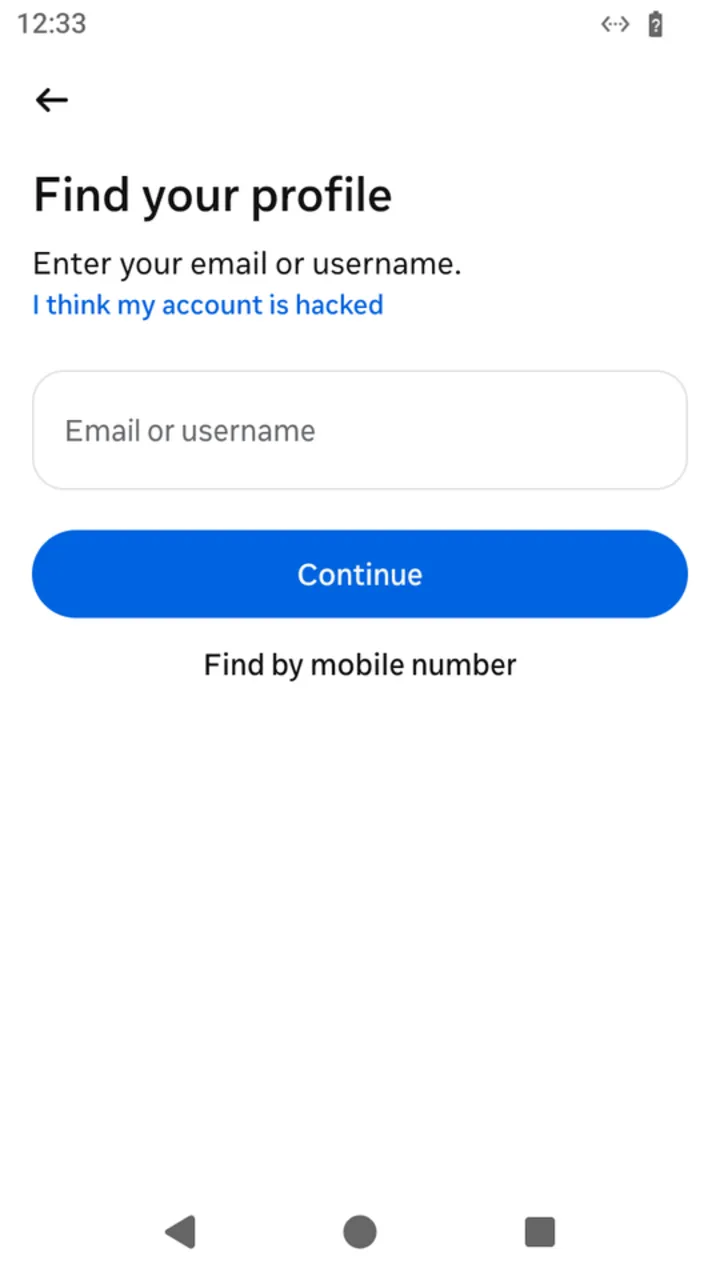 "Forgot password": the account search
 recoverPassword() opens.
The screens are reached from the login screen. Every example starts a fresh install: AndroidIgpapi.install({ seed, main }) hands main the login screen. The examples answer no errors, so that each one stays on its path. Every action can fail with typed errors; answer them with Effect.catchTag, as A complete session does (Errors), and challenges with your otherwise constant (Challenges). The code arrives by email after the step asked for it, so each program reads it between the steps (Codes that arrive during the run).
ts
import {
  AccountRecoveryEmailCodeScreen,
  AccountRecoverySuccessLocationPermissionScreen,
  AndroidIgpapi,
} from '@igpapi/android';
import { Effect } from 'effect';
import { createInterface } from 'node:readline/promises';

// Placeholders: the account and its secrets come from the environment.
const username = process.env['IG_USERNAME'] ?? '';
const password = process.env['IG_PASSWORD'] ?? '';
// The email or username typed on the recovery search screen.
const identifier = process.env['IG_RECOVERY_IDENTIFIER'] ?? '';
// The code Instagram sends by email is read when the screen asks for it ("Codes that arrive during the run"):
// here a person types it at the terminal; your program can read an inbox instead.
const readCode = Effect.promise(async () => {
  const terminal = createInterface({ input: process.stdin, output: process.stdout });
  const code = await terminal.question('The emailed code: ');
  terminal.close();
  return code.trim();
});
The matrix
| # | The person... | Starts on | Actions | Result |
|---|---|---|---|---|
| 1 | Asks Instagram to send a recovery code | the login screen | recoverPassword(), findAccount(identifier) | The confirmation screen, waiting for the emailed code |
| 2 | Types the emailed code | the confirmation screen | logInWithCode(code) | The feed, or the location-permission prompt over it |
| 3 | Closes the location-permission prompt | the location-permission prompt | close() | The feed |
| 4 | Types the code of a last-resort recovery | the last-resort code screen | submitCode(code) | The feed, or the location-permission prompt over it |
| 5 | Taps "Get a new code" | the last-resort code screen | requestNewCode() | A new code is sent; an answer that logs the session in is a screen like submitCode's |
What this screen does not offer. "Try another way" and the help button of the code screens. A rejected code is the typed AccountRecoveryBloksInvalidCodeError.
The scenarios
1. Ask for the recovery code
ts
// Forgot password, step one: find the account and ask Instagram to send the code.
const requested = await AndroidIgpapi.install({
seed: username,
main: home =>
Effect.gen(function* () {
const search = yield* home.recoverPassword();
// The submission opens the authentication-confirmation screen, which asks for the code.
const codeEntry = yield* search.findAccount(identifier);
return codeEntry.id;
}),
});
console.log(requested);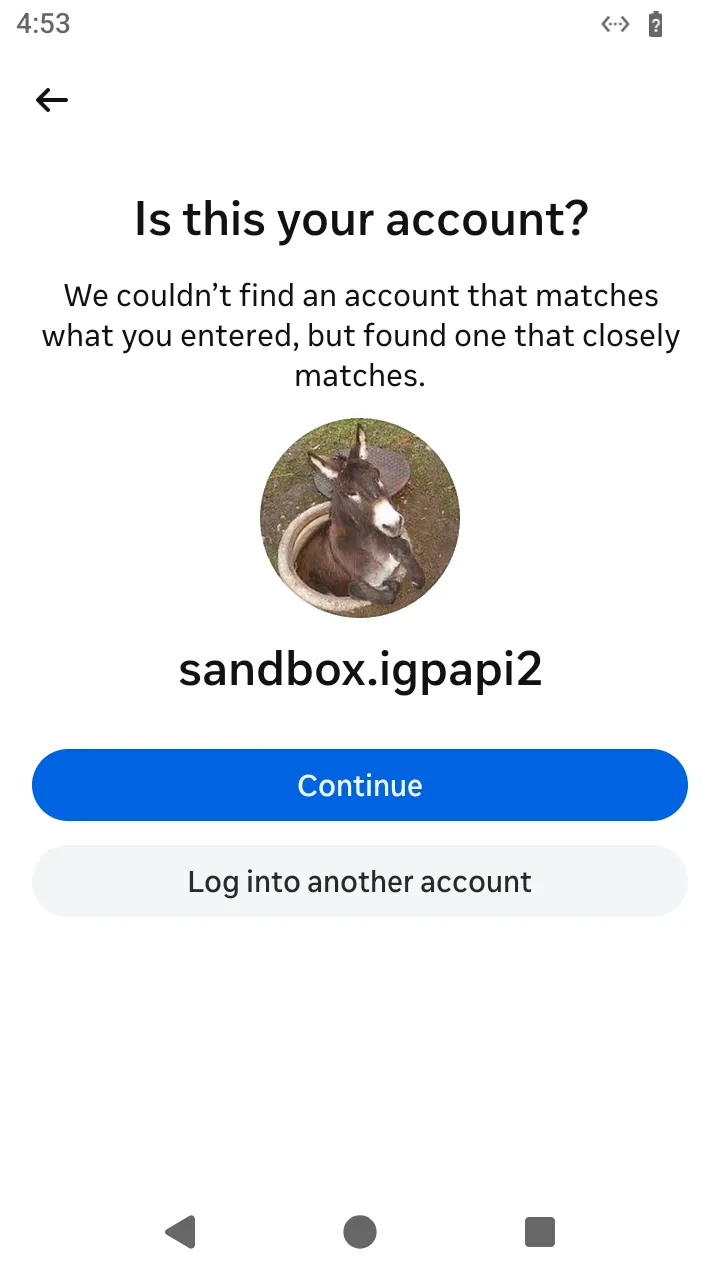 The app shows "Is this your account?" for the account it found.
 findAccount(identifier) goes on to the code screen; the Simulator has no separate action for this question.
2. Log in with the emailed code
An accepted code is a session: the action continues the process through the app's launch and answers the screen the launch leaves on top.
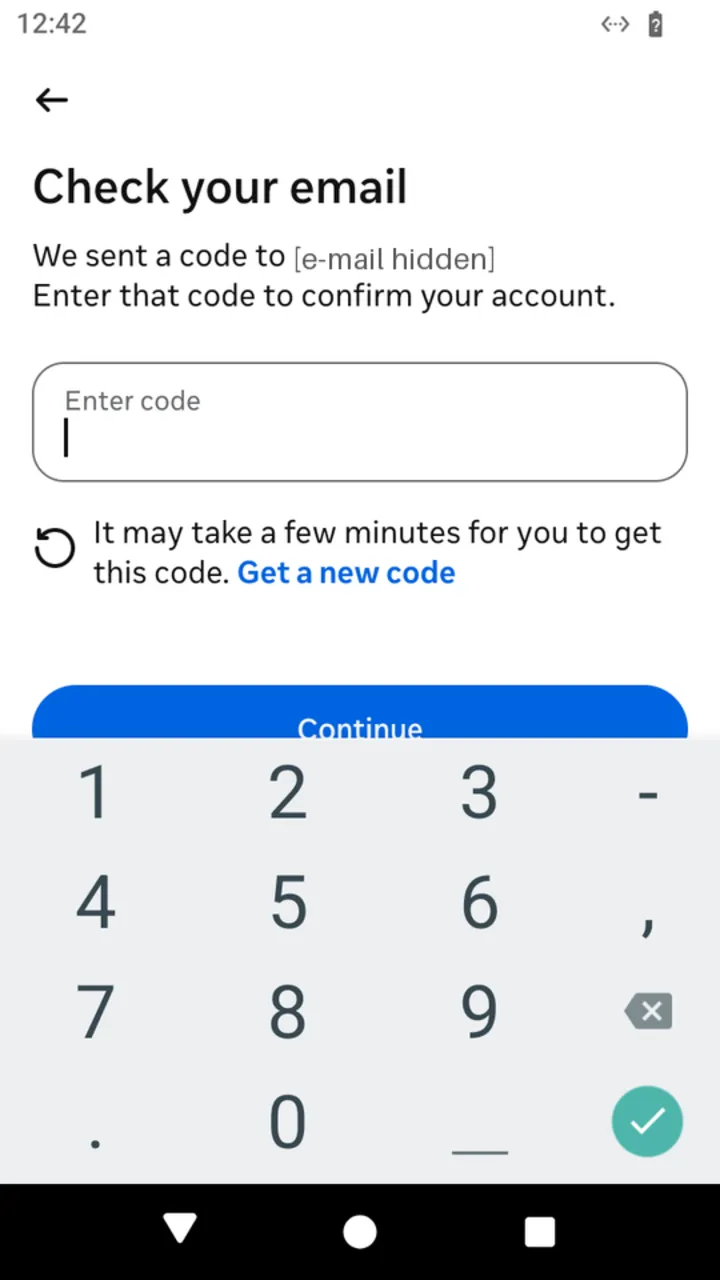 The screen waiting for the emailed code:
 logInWithCode(code).
ts
// Forgot password, step two: the code that arrived by email logs the session in.
const recovered = await AndroidIgpapi.install({
  seed: username,
  main: home =>
    Effect.gen(function* () {
      const search = yield* home.recoverPassword();
      const codeEntry = yield* search.findAccount(identifier);
      // An accepted code is a session: the action continues the process through the app's launch
      // and answers the screen it leaves on top, the feed or the location-permission prompt over it.
      const code = yield* readCode;
      const first = yield* codeEntry.logInWithCode(code);
      return first.id;
    }),
});
console.log(recovered);
3. Close the location-permission prompt
ts
// Close the location-permission prompt the recovery launch shows over the feed.
const closed = await AndroidIgpapi.install({
  seed: username,
  main: home =>
    Effect.gen(function* () {
      const search = yield* home.recoverPassword();
      const codeEntry = yield* search.findAccount(identifier);
      const code = yield* readCode;
      const first = yield* codeEntry.logInWithCode(code);
      if (!AccountRecoverySuccessLocationPermissionScreen.is(first)) return first.id;
      // The prompt sits over the feed; closing it succeeds with the screen now on top.
      const feed = yield* first.close();
      return feed?.id;
    }),
});
console.log(closed);
4. Enter the last-resort code
An account Instagram escalates sends the emailed code to the screen the login opens (login, scenario 5).
ts
// A password login that Instagram escalates to last-resort recovery: enter the emailed code.
const lastResort = await AndroidIgpapi.install({
  seed: username,
  main: home =>
    Effect.gen(function* () {
      const next = yield* home.logIn({ username, password });
      if (!AccountRecoveryEmailCodeScreen.is(next)) return undefined;
      // An accepted code logs the session in and continues the process, like the forgot-password code.
      const code = yield* readCode;
      const first = yield* next.submitCode(code);
      return first.id;
    }),
});
console.log(lastResort);
5. Ask for a new code
ts
// Ask for a new last-resort code ("Get a new code").
const resent = await AndroidIgpapi.install({
  seed: username,
  main: home =>
    Effect.gen(function* () {
      const next = yield* home.logIn({ username, password });
      if (!AccountRecoveryEmailCodeScreen.is(next)) return undefined;
      // A new code was sent, unless the answer logs the session in: then it is the screen the launch leaves on top.
      const answer = yield* next.requestNewCode();
      return 'id' in answer ? answer.id : 'code sent';
    }),
});
console.log(resent);