Appearance
Search
What the person sees. The search field with its suggestions, and the results' Top and Accounts tabs. The field is opened from the Explore tab; a result opens a profile.
What you do. You type in the field (SearchInputScreen), open a suggested user, submit the query, switch to the Accounts tab (SearchResultsAccountsTabScreen) and open an account of the results. The results' Top tab is SearchResultsTopTabScreen.
Every example starts from session.json, the session Your first program saved, and names the screen it expects (screen: FeedTimelineScreen). The examples show the success path: errors are answered as in Errors, and challenges by your otherwise constant (Challenges: answer them once with otherwise).
ts
import { AndroidIgpapi, FeedTimelineScreen, isSearchInputUserResult } from '@igpapi/android';
import { Effect } from 'effect';
import { readFile } from 'node:fs/promises';

// A checkpoint read back from your storage (see "Keep a session").
const saved = JSON.parse(await readFile('session.json', 'utf8'));
The matrix
| # | The person... | Starts on | Actions | Result |
|---|---|---|---|---|
| 1 | Types a query and reads the suggestions | the search field | change(text) per keystroke, results | The field's live handle: keywords, users and hashtags the server suggested |
| 2 | Taps a user suggested while typing | the search field | the user row's openProfile() | That user's profile |
| 3 | Submits the query | the search field | search(query) | The results on their Top tab; the submitted keyword is registered in the recent searches |
| 4 | Switches the results to the Accounts tab | the Top tab | openUsers(), results | The account results as items |
| 5 | Taps an account of the results | the Accounts tab | the account's openProfile() | That account's profile |
| 6 | Searches for an account and follows it | the search field | all of the above, then the profile's follow() | The follow, and the refreshed suggested-users rail |
Two facts about the field. Every change answers the field's live handle: continue from it, so the keystrokes and the submit share one typing session. A text the typing session already answered shows that answer and sends nothing, as the app does. Keyword and hashtag suggestions are rows you can read, and have no action. The Top tab shows no results to read: switch to Accounts. A user suggested while typing is told apart from a keyword with isSearchInputUserResult(row).
The scenarios
1. Type a query
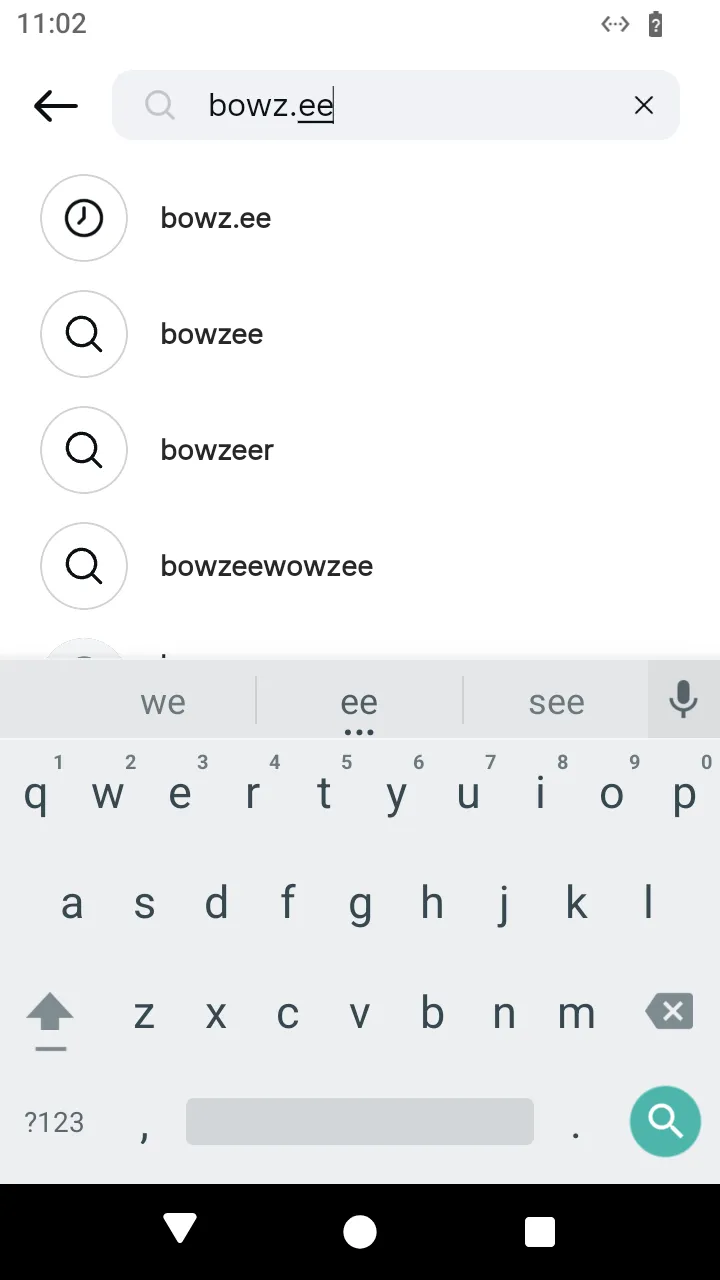 Suggestions while typing:
 change(text) answers them as results.
ts
// Type a query in the search field and read the suggestions, one request per keystroke.
const suggestions = await AndroidIgpapi.launch({
  checkpoint: saved,
  screen: FeedTimelineScreen,
  main: feed =>
    Effect.gen(function* () {
      const tab = yield* feed.openSearchTab();
      let typed = yield* tab.openSearchInput();
      // Every `change` answers the field's live handle: continue from it, so the keystrokes share one typing session.
      for (const text of ['i', 'in', 'ins']) typed = yield* typed.change(text);
      // A suggestion is a keyword, a user or a hashtag.
      return typed.results.map(row => row.id);
    }),
});
console.log(suggestions);
2. Open a suggested user
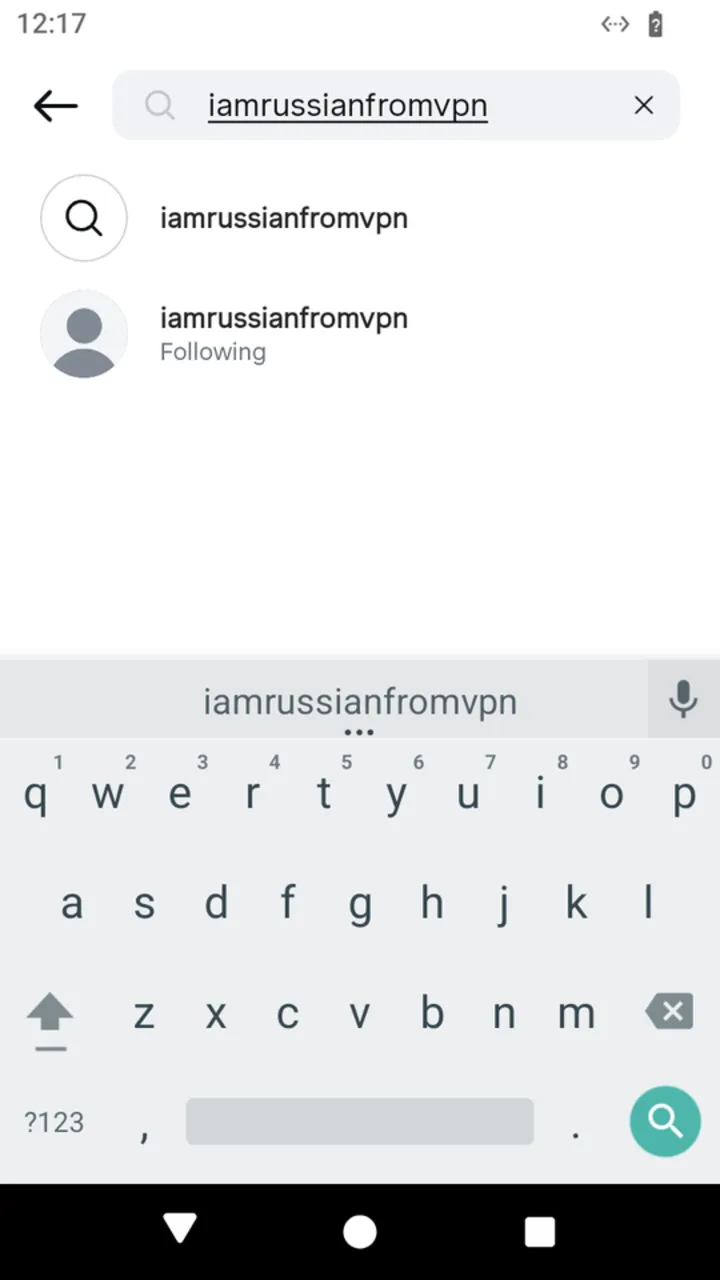 A suggested account: the user row's
 openProfile() opens it.
ts
// Open the profile of a user the field suggests while typing.
const suggested = await AndroidIgpapi.launch({
  checkpoint: saved,
  screen: FeedTimelineScreen,
  main: feed =>
    Effect.gen(function* () {
      const tab = yield* feed.openSearchTab();
      let typed = yield* tab.openSearchInput();
      for (const text of ['i', 'in', 'ins']) typed = yield* typed.change(text);
      const row = typed.results.find(candidate => isSearchInputUserResult(candidate));
      if (row === undefined) return undefined;
      const profile = yield* row.openProfile();
      return profile.data.username;
    }),
});
console.log(suggested);
3. Submit the query
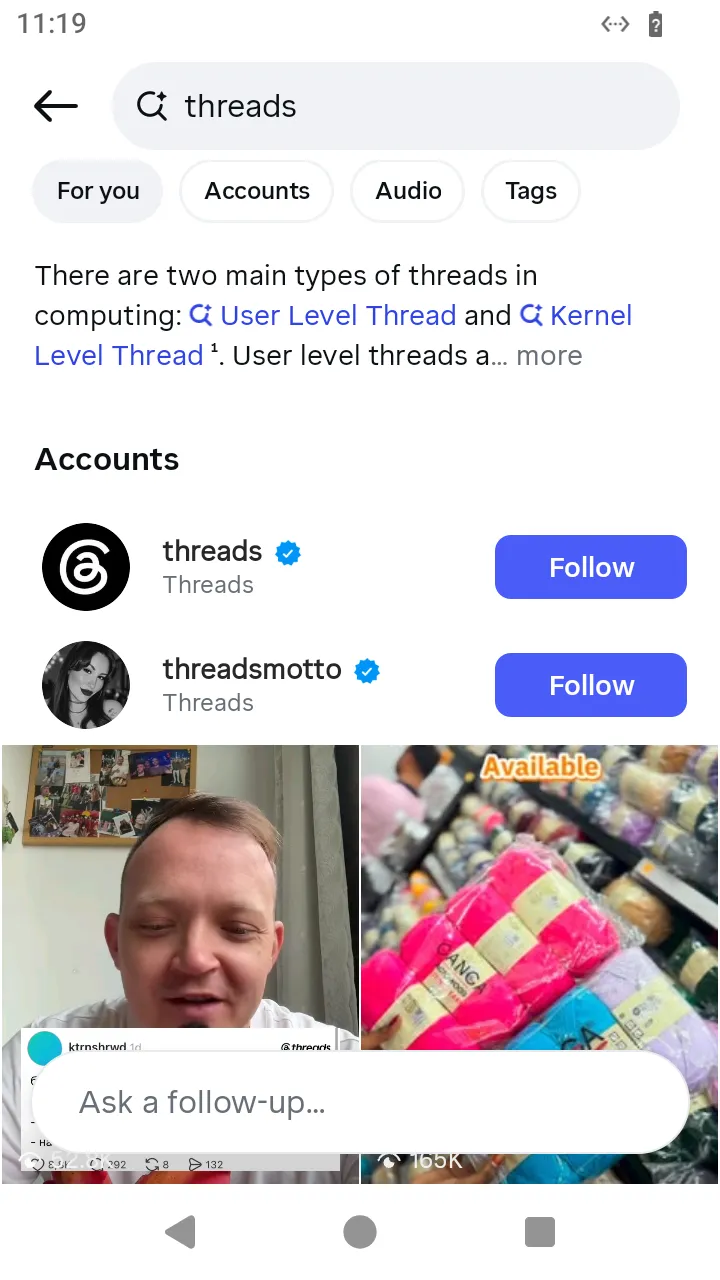 The results after
 search(query); switch to Accounts with openUsers().
ts
// Submit the query: the results open on their Top tab.
const top = await AndroidIgpapi.launch({
  checkpoint: saved,
  screen: FeedTimelineScreen,
  main: feed =>
    Effect.gen(function* () {
      const tab = yield* feed.openSearchTab();
      let typed = yield* tab.openSearchInput();
      for (const text of ['i', 'in', 'ins']) typed = yield* typed.change(text);
      // `search` registers the submitted keyword in the recent searches and requests the Top tab.
      const results = yield* typed.search('ins');
      return results.data.query;
    }),
});
console.log(top);
4. Switch to the Accounts tab
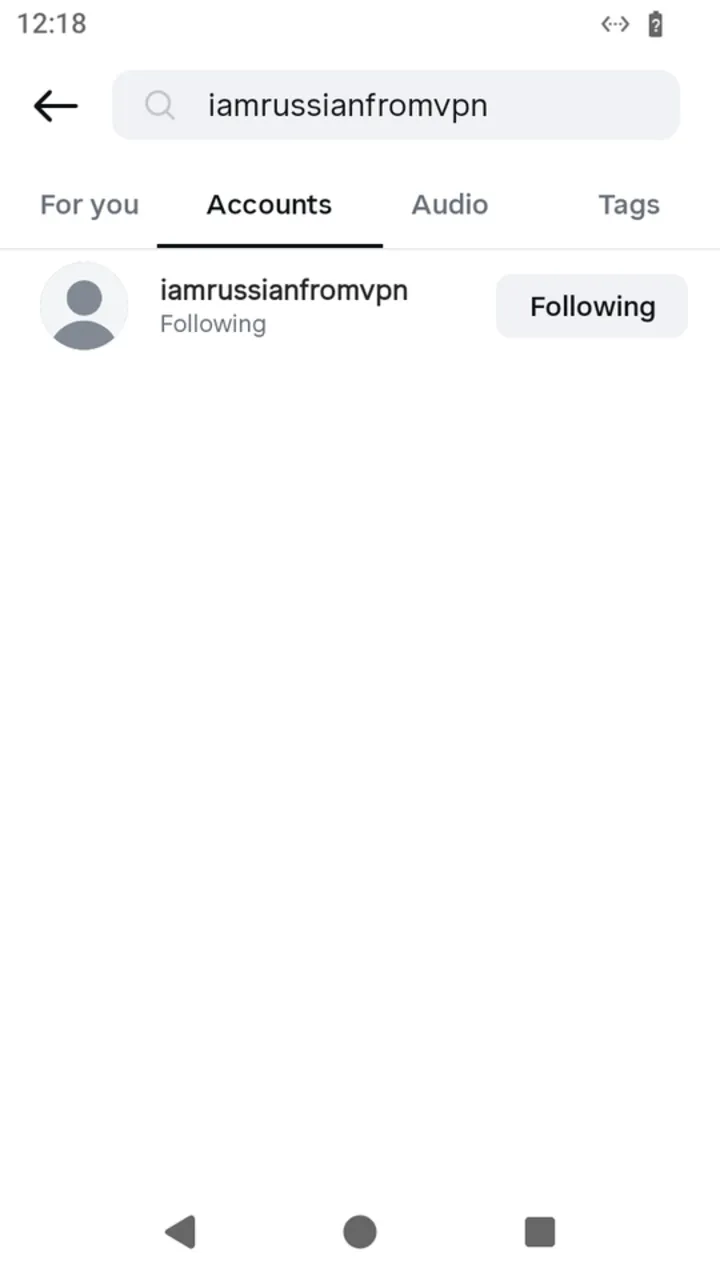 The Accounts tab:
 results holds these rows.
ts
// Switch the results to the Accounts tab and read the accounts found.
const accounts = await AndroidIgpapi.launch({
  checkpoint: saved,
  screen: FeedTimelineScreen,
  main: feed =>
    Effect.gen(function* () {
      const tab = yield* feed.openSearchTab();
      let typed = yield* tab.openSearchInput();
      for (const text of ['i', 'in', 'ins']) typed = yield* typed.change(text);
      const results = yield* typed.search('ins');
      const users = yield* results.openUsers();
      return users.results.map(account => account.data.username);
    }),
});
console.log(accounts);
5. Open an account of the results
ts
// Open the profile of the first account of the results.
const found = await AndroidIgpapi.launch({
  checkpoint: saved,
  screen: FeedTimelineScreen,
  main: feed =>
    Effect.gen(function* () {
      const tab = yield* feed.openSearchTab();
      let typed = yield* tab.openSearchInput();
      for (const text of ['i', 'in', 'ins']) typed = yield* typed.change(text);
      const results = yield* typed.search('ins');
      const users = yield* results.openUsers();
      const first = users.results[0];
      if (first === undefined) return undefined;
      const profile = yield* first.openProfile();
      return profile.data.username;
    }),
});
console.log(found);
6. Search, open a profile and follow
The follow sends the ranking token the profile was reached with and reloads the suggested-users rail; suggested holds the fresh rows, which a program continues from.
ts
// Search for an account, open its profile and follow it.
const followed = await AndroidIgpapi.launch({
  checkpoint: saved,
  screen: FeedTimelineScreen,
  main: feed =>
    Effect.gen(function* () {
      const tab = yield* feed.openSearchTab();
      let typed = yield* tab.openSearchInput();
      for (const text of ['i', 'in', 'ins']) typed = yield* typed.change(text);
      const results = yield* typed.search('ins');
      const users = yield* results.openUsers();
      const first = users.results[0];
      if (first === undefined) return undefined;
      const profile = yield* first.openProfile();
      // The follow also reloads the suggested-users rail: `suggested` holds the fresh rows.
      const answer = yield* profile.follow();
      return answer.suggested.length;
    }),
});
console.log(followed);