Appearance
Turn on the authenticator app (TOTP)
What it is for. Setting up the authenticator app of an account (the two-factor method that shows a new six-digit code every 30 seconds, as Google Authenticator does), with a key your program holds. Instagram allows up to 6 keys per account, so you can add your own key without removing the old one, and resolve the account's two-factor login by program with totpCodeOf.
What you call. Inside the main of an entry (Effects inside main):
SecurityInfo()answers whether the authenticator app is already on (is_totp_two_factor_enabled).GenerateTwoFactorTotpKey({ totpKeyNickname })always comes first: it answers the new key'stotp_seed(the setup key) andtotp_seed_id.- Then, depending on step 1:
- not enabled:
EnableTotpTwoFactor({ verificationCode })turns the app on and answers the backup codes; - enabled:
AddKeyTotpTwoFactor({ verificationCode, totpSeedId })adds one more key to the list, so a second device, or your program, can produce the codes too.
- not enabled:
verificationCode is the current code of the new key, which totpCodeOf(key.totp_seed) computes. To keep the keys tidy, RenameKeyTotpTwoFactor, DeleteKeyTotpTwoFactor and DisableTotpTwoFactor rename a key, delete one and turn the app off.
What you get. The answer of the last call: { status: 'ok' }, and the backup codes for the first key. An invalid code is the typed alternative answer of AddKeyTotpTwoFactor.
WARNING
Store key.totp_seed before the call that enables it. The key is the account's second factor, and Instagram shows it once. The program below writes it to a file first; a real project writes it to its secret store.
ts
import {
AddKeyTotpTwoFactor,
AndroidIgpapi,
EnableTotpTwoFactor,
FeedTimelineScreen,
GenerateTwoFactorTotpKey,
SecurityInfo,
totpCodeOf,
} from '@igpapi/android';
import { Effect } from 'effect';
import { readFile, writeFile } from 'node:fs/promises';
// The checkpoint saved in "Your first program".
const saved = JSON.parse(await readFile('session.json', 'utf8'));
const result = await AndroidIgpapi.launch({
checkpoint: saved,
screen: FeedTimelineScreen,
main: _feed =>
Effect.gen(function* () {
const security = yield* SecurityInfo();
// Always start with a new key: its seed is what an authenticator app, or `totpCodeOf`, is set up with.
const key = yield* GenerateTwoFactorTotpKey({ totpKeyNickname: 'igpapi' });
// Store the key before anything uses it: it is the account's second factor and is shown once.
yield* Effect.promise(() => writeFile('totp-key.txt', key.totp_seed));
const verificationCode = totpCodeOf(key.totp_seed);
if (!security.is_totp_two_factor_enabled) {
// The first key turns the authenticator app on; the answer carries the backup codes.
return yield* EnableTotpTwoFactor({ verificationCode });
}
// The account already has a key: add one more to the list.
return yield* AddKeyTotpTwoFactor({ verificationCode, totpSeedId: key.totp_seed_id });
}),
});
console.log(result);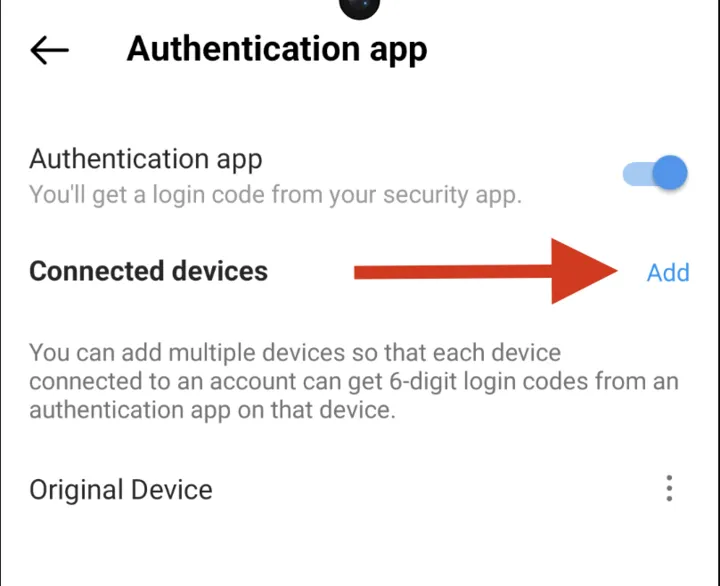 The step
 AddKeyTotpTwoFactor is, on an account that already has the authenticator app on.